Module 2: Safety, privacy, and scam-proof habits
This module is not here to scare you. It is here to keep you safe and confident. AI can be very useful - but like any tool, it works best with a few simple habits.
If an AI says, 'Hello, I’m confident and correct', you do the same thing, but politely: you ask it to double-check.
2.1 The 'never share' list
Do not type or upload these into AI tools:
- Passwords, passcodes, or one-time verification codes
- Bank account numbers, credit card numbers, or online banking details
- Medicare number, driver's licence number, passport number (full details)
- Tax file numbers or other identity numbers
- Full address and date of birth together (a common identity-theft combo)
- Private medical documents with identifying details (unless you have a strong reason, and you understand the privacy settings)
- Anything you would not want read out loud in a crowded cafe
Example: 'My bank sent me a message saying [PASTE MESSAGE TEXT WITHOUT ACCOUNT NUMBERS]. Is this a scam? What are the red flags?'
2.2 Redacting: how to remove personal details (in plain English)
Redacting just means removing private information before you share text or images.
- Remove names, addresses, phone numbers, email addresses, account numbers, and reference numbers.
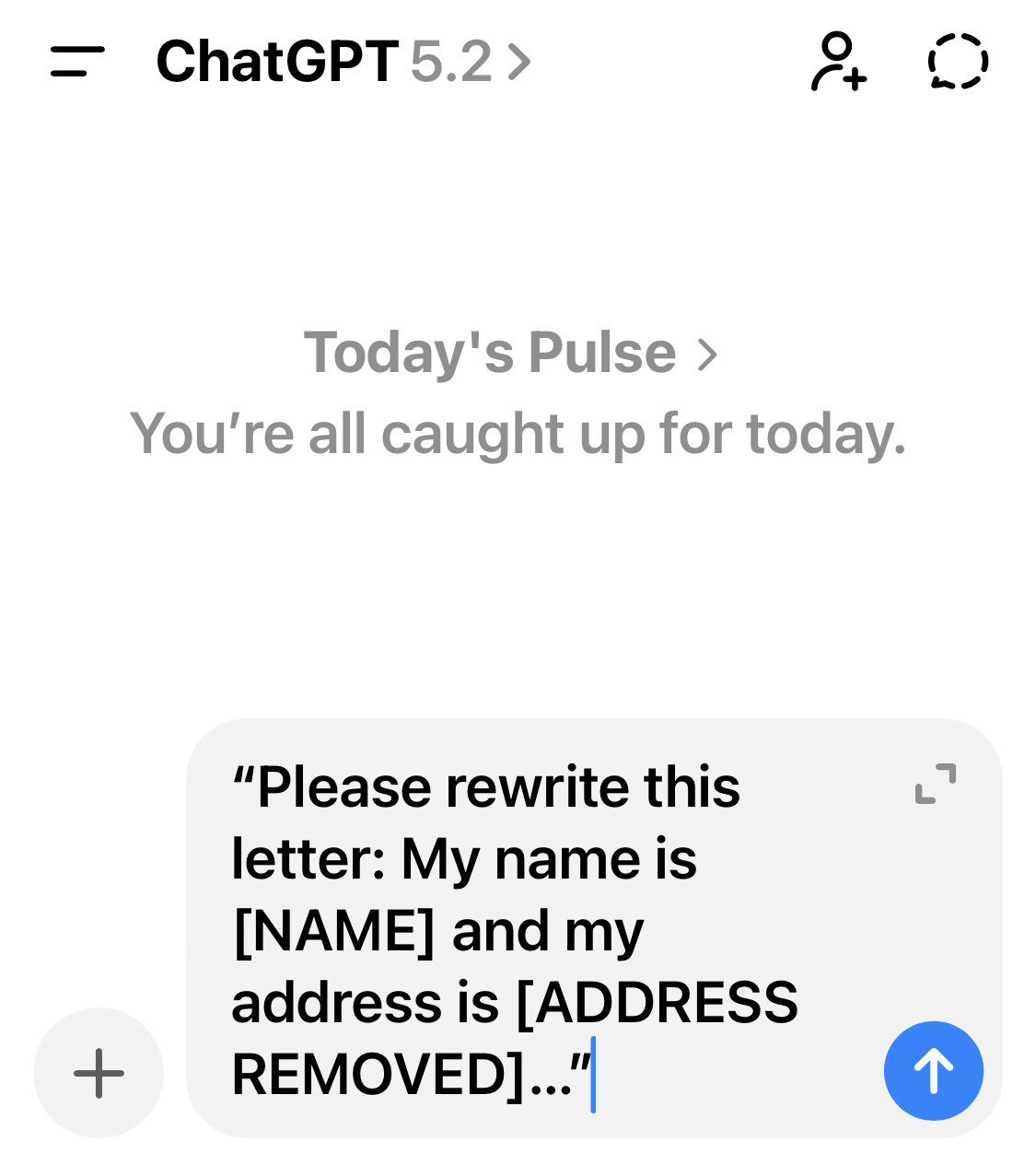
- Replace them with placeholders like [NAME] or [ACCOUNT NUMBER REMOVED].
- If you are sharing a screenshot, crop out the top bar that might show your name or email address.
- If in doubt, remove more than you think you need.
2.3 What AI should and should not be used for
AI can help you understand information and prepare good questions. But it should not be the final authority for high-stakes decisions.
Examples of safe uses:
- Summarising a letter (with personal details removed)
- Drafting a polite reply email
- Preparing questions for a doctor or customer service call
- Making a checklist for what to bring to an appointment
- Explaining general concepts in plain language
Examples of risky uses (avoid):
- Asking for a diagnosis or exact medication changes
- Asking how to bypass safety systems or do illegal things
- Asking for 'the best investment to buy right now'
- Trusting it for exact prices, exact opening hours, or real-time changes without checking
2.4 Scam safety: using AI to spot scam messages
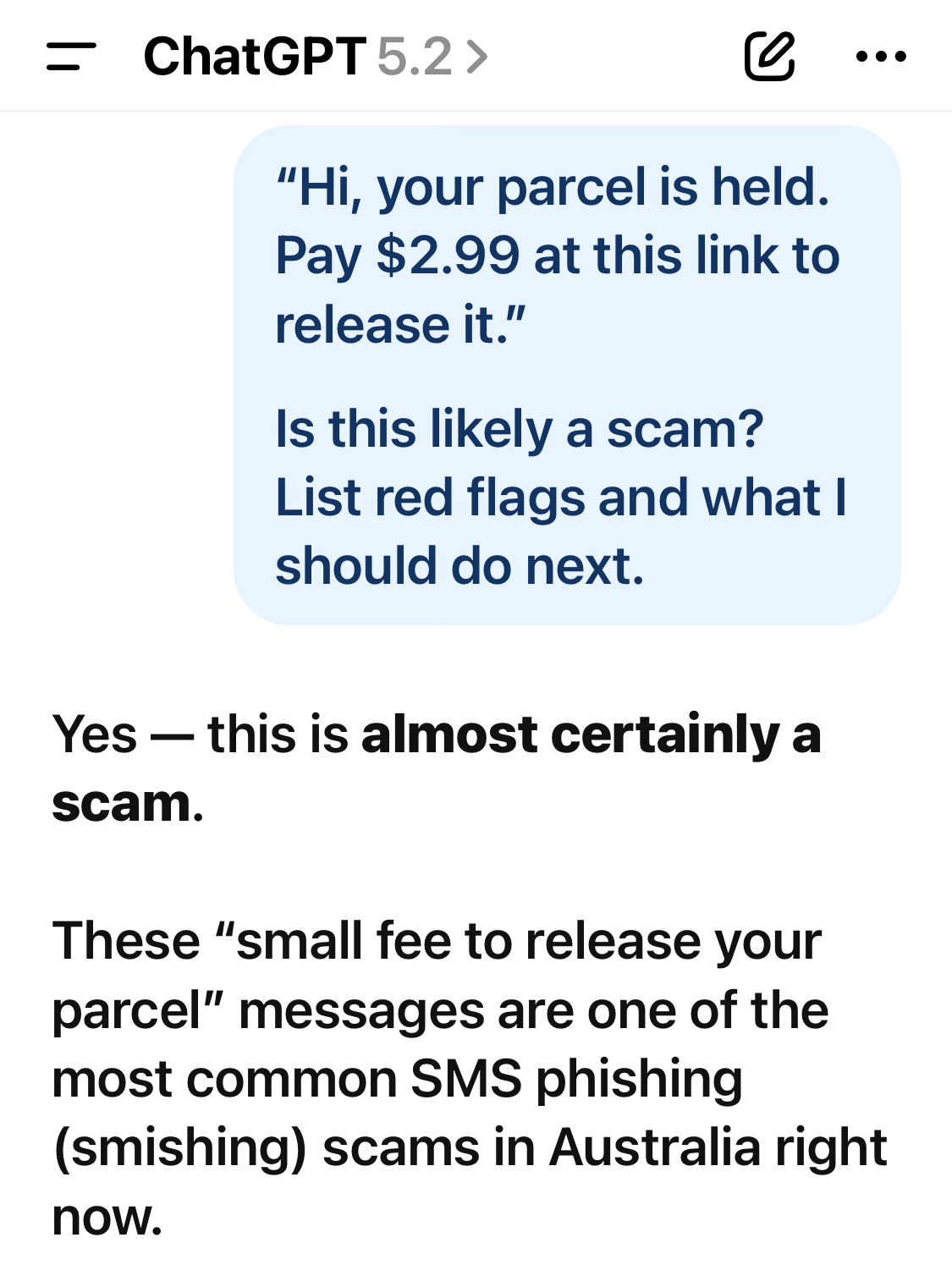
One of the best uses of AI for older adults is scam checking. You can paste the text of a suspicious message and ask the AI to analyse it.
I received this message. I have removed personal details.

[PASTE THE MESSAGE HERE]

Please analyse it for scam red flags. List red flags in dot points. Then suggest the safest next steps.
Common red flags the AI should mention include:
- Urgency or pressure ('act now', 'final notice')
- Threats ('your account will be closed')
- Requests for payment, gift cards, cryptocurrency, or bank transfers
- Links that do not match the real organisation's website
- Spelling/grammar that looks off
- Asking for personal information
2.5 Privacy controls: memory and chat history (what to know)
Some AI tools offer memory features. This can make future chats more convenient, but you should understand what it does.
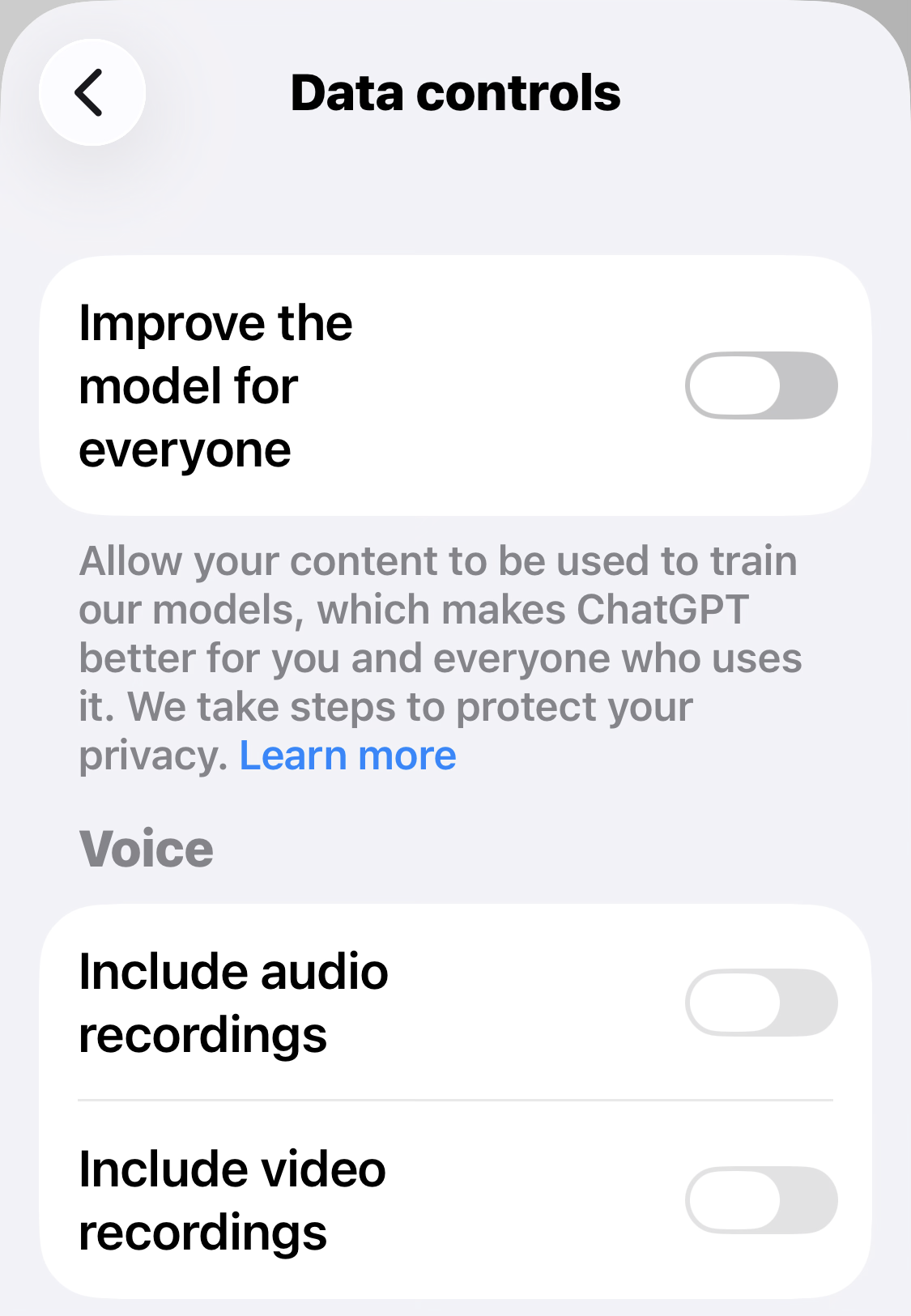
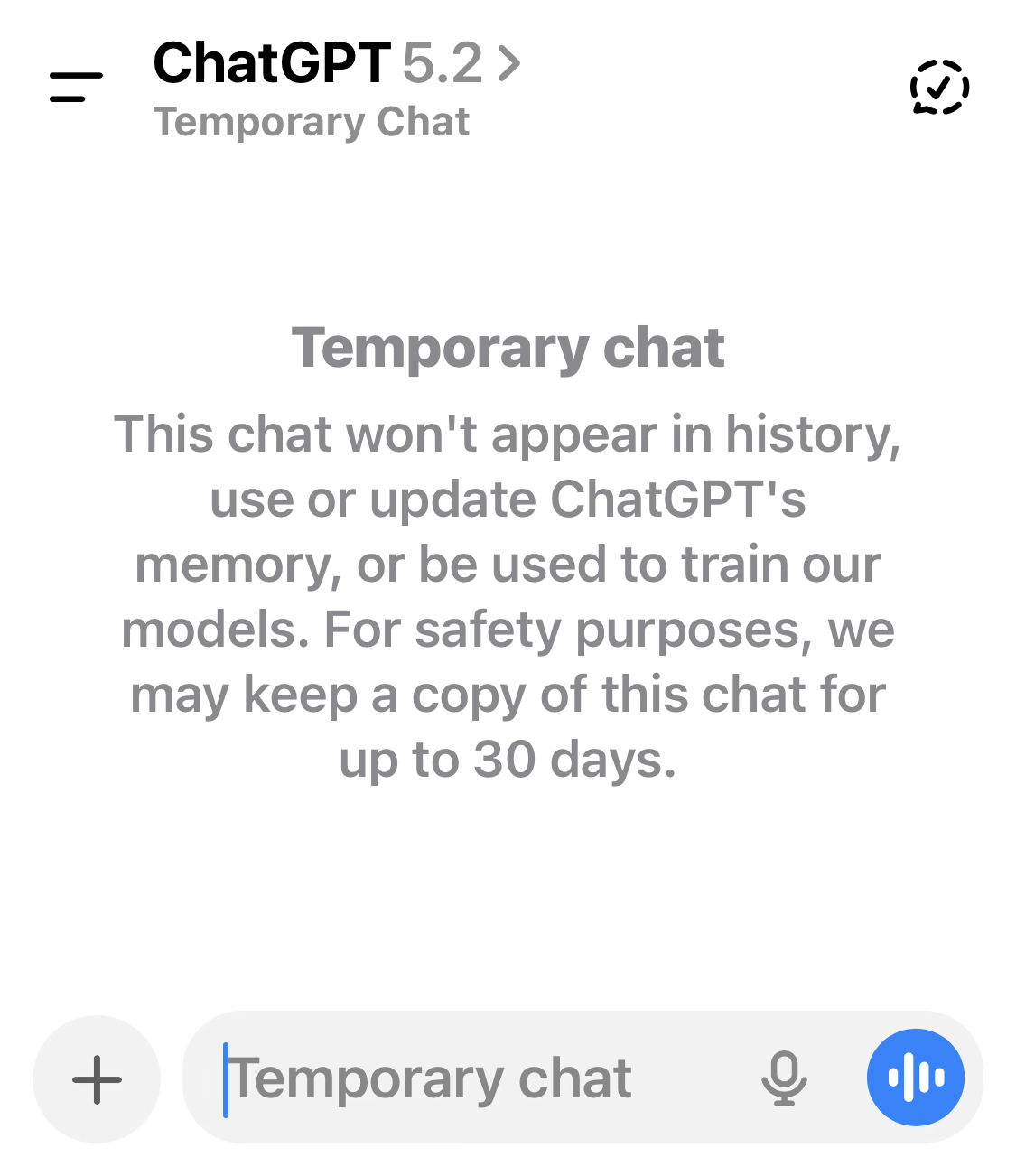
In ChatGPT, OpenAI explains that you can control saved memories, delete them, clear all, or turn memory off in settings. It also describes 'Temporary Chat' as a way to chat without using saved memory.
How to use a 'temporary' or 'one-off' chat
If you are discussing something sensitive (even if you have removed private numbers), a temporary chat can be a good habit. The idea is: do not let the tool treat that conversation as something to remember.
2.6 How to check important information (the 3-check method)
When something matters, use this simple method. It takes 60 seconds and prevents most mistakes.
- Check logic: 'Does this make sense? Does it match what I already know?'
- Check source: look up the key detail on an official website or document (or call the organisation).
- Check wording: if you will send the text to someone, read it out loud. If it sounds odd, ask the AI to rewrite it.
Before I trust this answer, please:
1) List any assumptions you made.
2) Tell me which parts you are not sure about.
3) Suggest how I can verify the most important detail.
2.7 If the AI gives a worrying answer
Sometimes an AI might misunderstand you and respond with something alarming. This is usually a misunderstanding, not a prediction.
- Do not panic. Re-read your question: did it include enough context?
- Ask it to explain why it said that.
- Ask for a cautious version: 'Answer conservatively and tell me what you are unsure about.'
- If it is about health or safety, speak to a qualified professional.
2.8 Screenshotss for Module 2
These screenshots help older adults feel in control: