Module 5: How to write great prompts (without feeling silly)
A prompt is just what you type (or say) to the AI. You do not need special 'AI language'. The trick is to be clear, give a little context, and ask for the format you want.
5.1 The Prompt Sandwich (a simple method)
Here is a method that works for almost everything. Think of it as a sandwich:
- Top slice: the job (what you want).
- Middle: the important details (context, facts, constraints).
- Bottom slice: the output format (how you want it delivered).
DETAILS: [Key facts, who it is for, what to include/avoid]
FORMAT: [Dot points / email / table / checklist / script]
TONE (optional): [Friendly / formal / simple / calm]
5.2 Example: from vague to useful
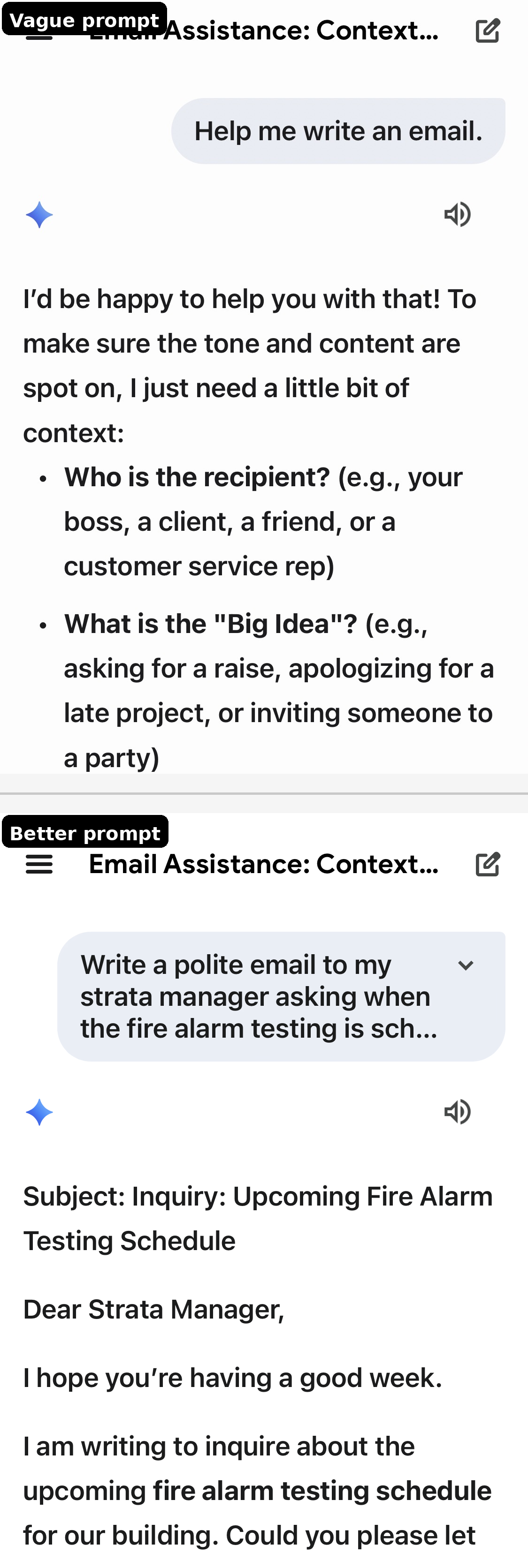
Vague prompt:
Help me write an email.Better prompt (Prompt Sandwich):
JOB: Write an email.
DETAILS: It is to my dentist. I need to reschedule my appointment because I have a family issue. I want to ask for the next available time.
FORMAT: Short email under 120 words with a subject line.
TONE: Polite and simple.
Best prompt (adds a helpful constraint):
JOB: Write an email.
DETAILS: It is to my dentist. I need to reschedule my appointment because I have a family issue. Do not mention details. Ask for the next available time.
FORMAT: Short email under 120 words with a subject line. End with 'Kind regards, [NAME]'.
TONE: Polite and simple.
5.3 The 5 ingredients of a strong prompt
If you ever feel stuck, add one of these:
- Goal: what you want done
- Context: who/what/where/when
- Constraints: length, tone, what to avoid, reading level
- Format: dot points, table, script, checklist
- Example: show a sample of what you like (optional but powerful)
5.4 The best follow-up prompts (copy/paste)
Most people get the best result on the second or third message. Here are useful follow-ups you can reuse:
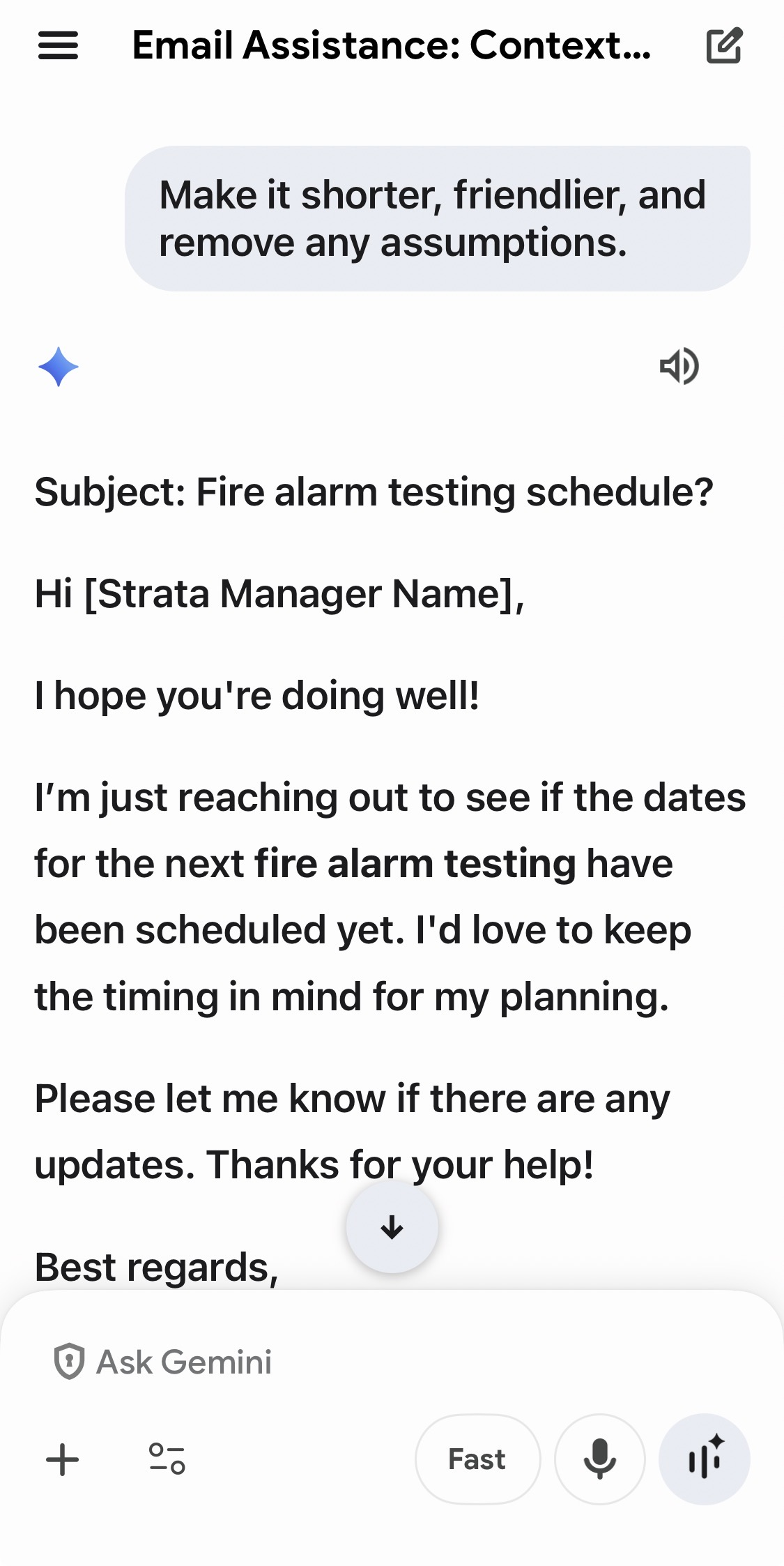
- Make it shorter (half the length).
- Make it simpler (Year 6 reading level).
- Make it warmer and friendlier, but still clear.
- Make it more formal and professional.
- Give me 3 versions to choose from.
- Turn this into a checklist.
- Turn this into a script I can read on the phone.
- Ask me up to 5 questions to clarify what you need, then wait for my answers.
5.5 Getting the AI to ask you questions first
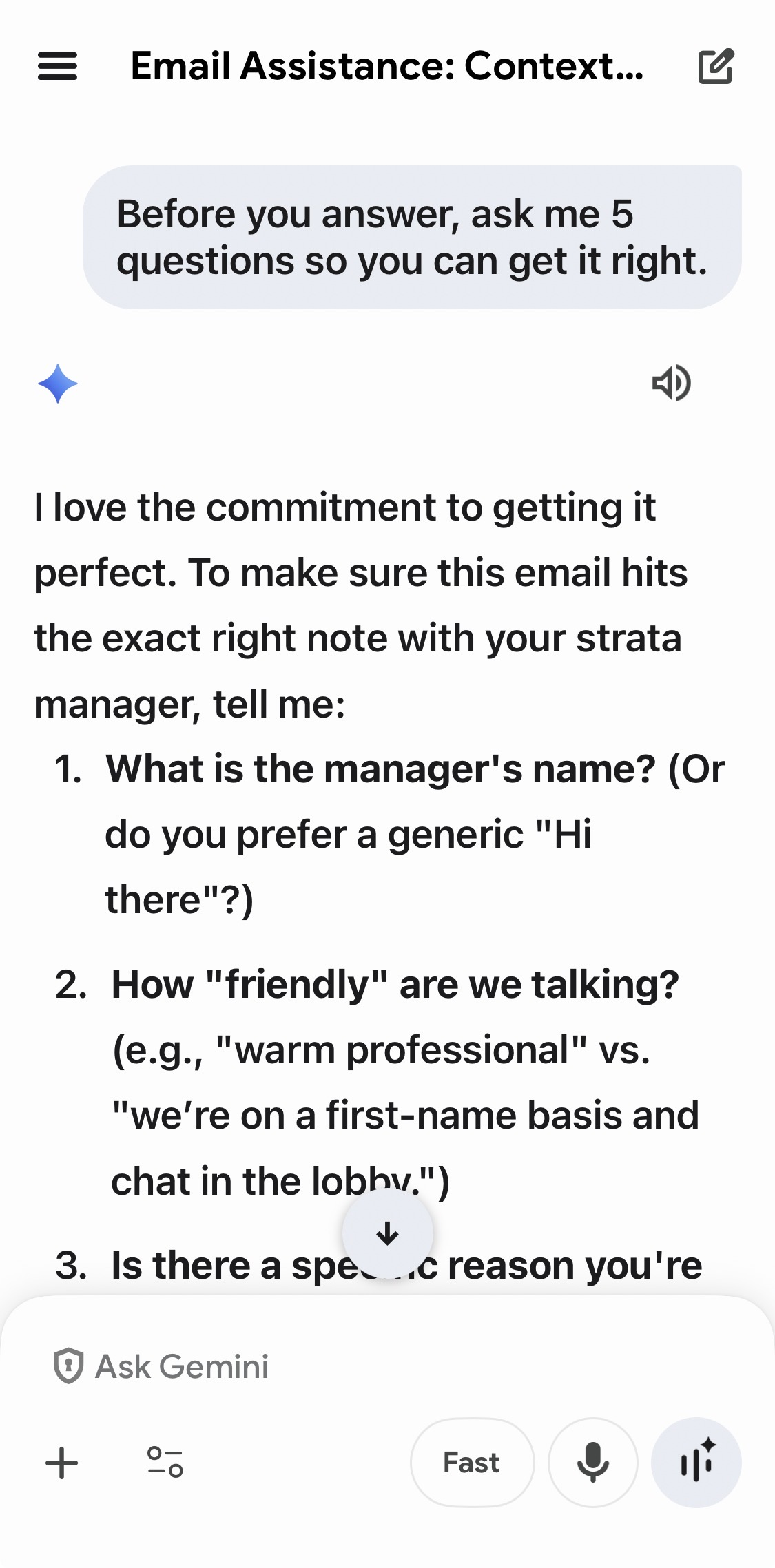
This is one of the most powerful tricks for beginners. It stops the AI from guessing.
Before you answer, ask me up to 5 questions to make sure you understand what I want. Ask them one at a time and wait for my reply.5.6 Getting more reliable answers (reduce hallucinations)
AI can sometimes invent details. You can reduce that risk by telling it how to behave.
- Tell it to say 'I don't know' when unsure.
- Tell it not to guess dates, prices, or policies.
- Ask it to list assumptions.
- Ask it to give you a verification checklist.
If you are not sure, say so. Do not guess. If you make any assumptions, list them. Then suggest how I can verify the key facts.5.7 Asking for a specific output style
A lot of frustration comes from answers that are the wrong shape. You can fix that by asking for format up front.
- Dot points (good for clarity)
- A table (good for comparisons)
- A short email (good for sending)
- A phone call script (good for nerves)
- A step-by-step checklist (good for action)
Explain this in a 2-column table: left side 'In plain English', right side 'What I should do next'.5.8 Prompting for numbers (carefully)
AI can do basic maths, but it can also make mistakes. If you need accurate numbers:
- Provide the numbers clearly.
- Ask it to show the calculation steps.
- Check the result yourself (or ask it to re-check).
Here are my weekly expenses: groceries $180, petrol $60, phone $25, power $45.
1) Add them up.
2) Show your working.
3) Then suggest one place I could reduce costs by $10 without being unrealistic.
5.9 Practice lab (10 short exercises)
Do these one at a time. They build skill quickly.
- Write a polite text message to confirm an appointment time.
- Rewrite a paragraph to be clearer and shorter.
- Turn a messy list of tasks into a checklist.
- Explain a confusing term in simple language with an example.
- Ask the AI to ask you clarifying questions before answering.
- Get 3 alternative versions of the same email (friendly, neutral, formal).
- Ask for a plan with steps and a timeline.
- Ask for pros and cons of a decision you are considering.
- Ask for a script to call a company and ask for help.
- Ask the AI to verify itself: assumptions + what to double-check.
5.10 Screenshotss for Module 5